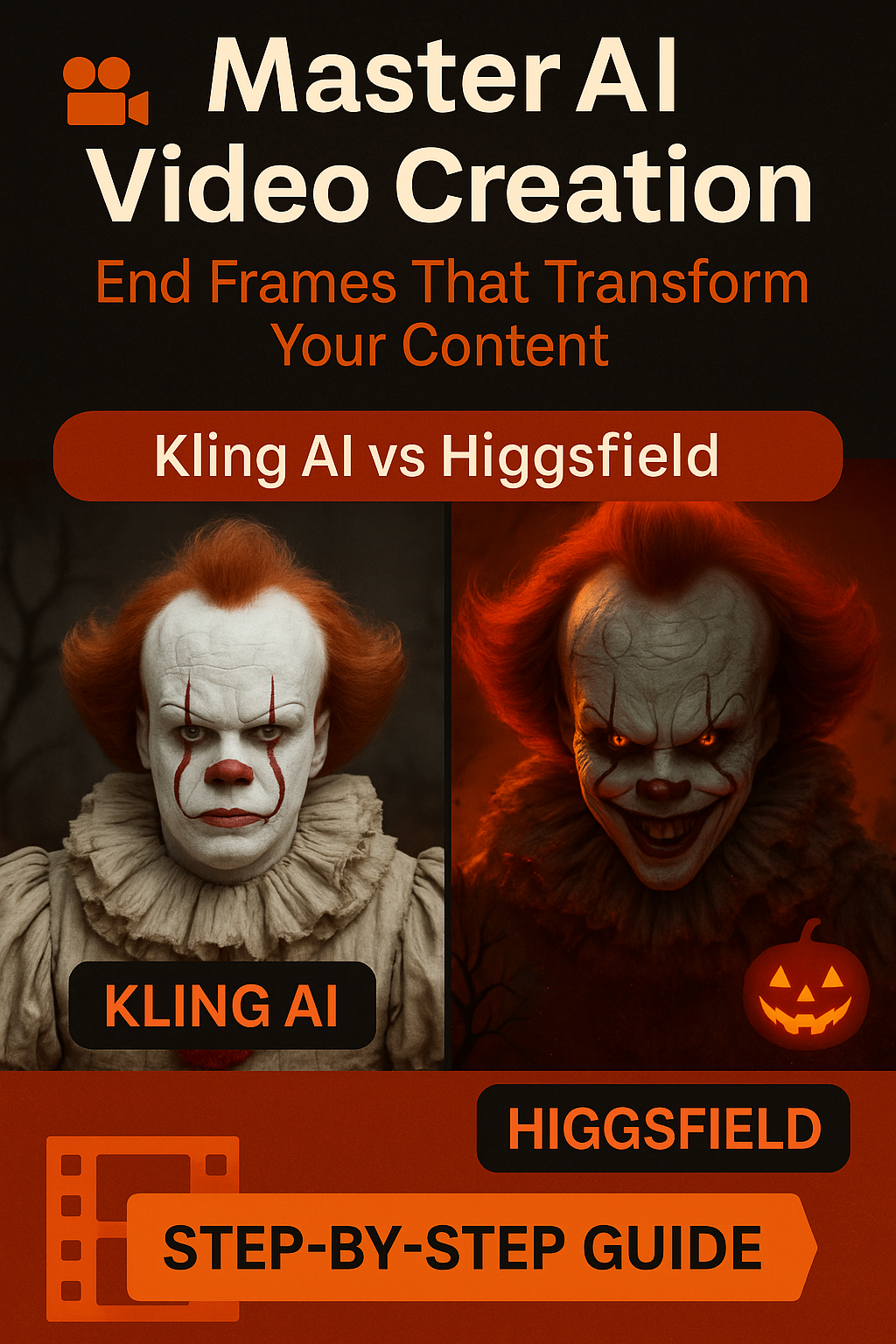
A detailed guide to using before/after frames for cinematic AI video results – plus my honest comparison of two leading features.
Halloween season has me experimenting with AI video creation more than ever, and I’ve discovered something that completely changed how I approach AI-generated content: end frames. If you’ve been frustrated with AI videos that start strong but fizzle out into weird, unpredictable endings, this technique is your game-changer.
Today, I’m breaking down exactly how to use end frames with Kling AI 2.1 in Higgsfield, with a real Halloween transformation example that shows the dramatic difference this approach makes.
Why Most AI Videos Fail (And How End Frames Fix It)
Here’s the uncomfortable truth about AI video generation: most platforms are brilliant at creating stunning opening moments but struggle with coherent storytelling throughout the entire clip. You’ve probably experienced this – that perfect first second that dissolves into chaotic, unpredictable motion by the end.
The problem: AI video models excel at interpreting single moments but struggle with narrative continuity over time.
The solution: End frames give AI models a clear destination, creating intentional storytelling rather than random generation.
Think of it like GPS navigation for your AI video. Instead of saying “drive somewhere interesting,” you’re saying “start at Point A and end at Point B.” The AI can now create a purposeful journey between these two points.
The End Frame Strategy: A Step-by-Step Framework
Phase 1: Concept Development
Before touching any AI tools, you need clarity on your video’s narrative arc. For my Halloween Pennywise transformation, I knew I wanted:
Starting point: Person in costume Neutral pose
Ending point: Creepy character in atmospheric setting
Emotional journey: Playful to genuinely eerie
This planning phase is crucial because it determines your entire approach.
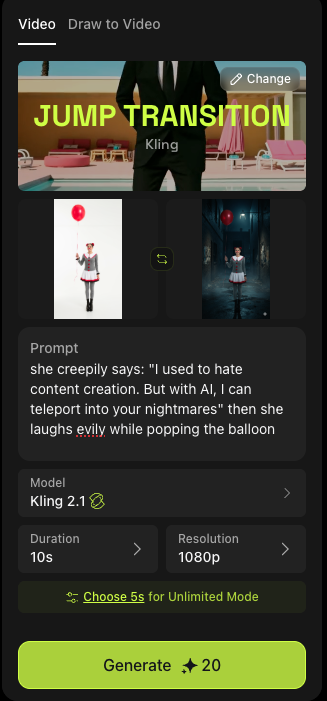
Phase 2: Generate Your Before and After Frames Using tools like Gemini AI or Midjourney, create two distinct images:
Frame 1 (Starting point):

Clear, well-lit subject
Neutral or setup positioning
Good quality reference that AI can interpret easily
Frame 2 (Ending point): Below I share my own starting point and ending point for different videos I tested
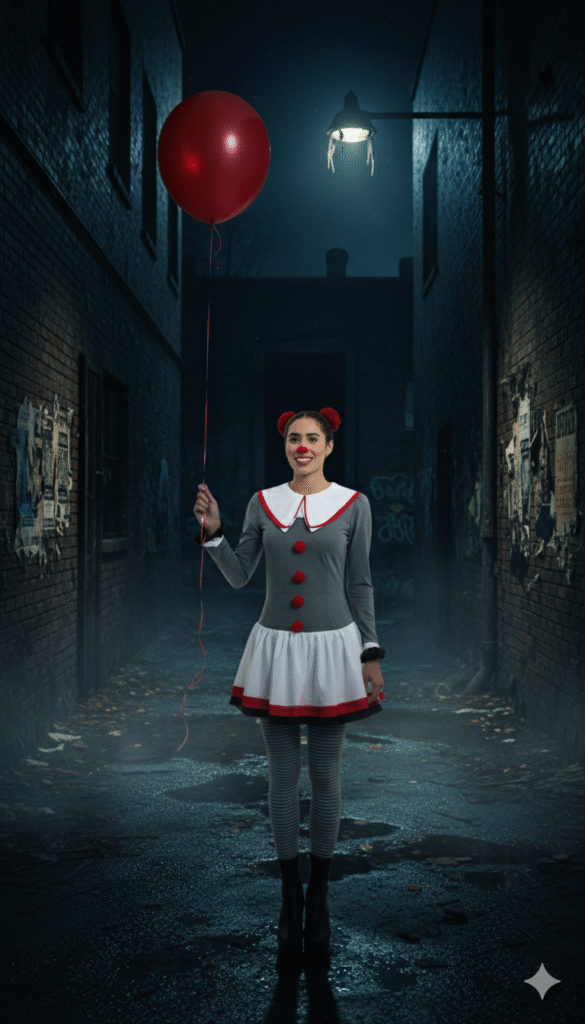
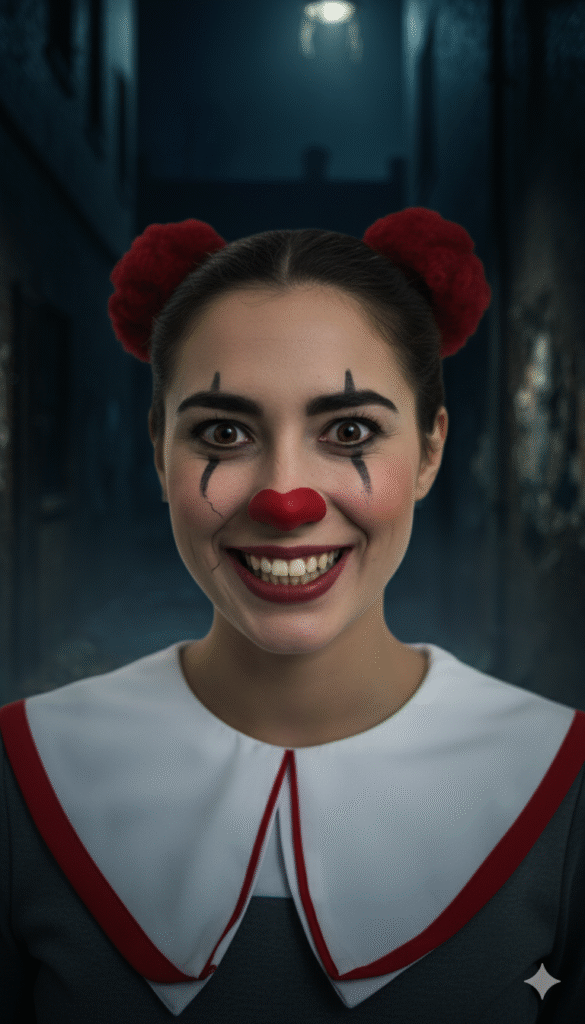
Dramatically different mood/lighting/positioning Clear visual goals for the transformation Complementary to Frame 1 but distinctly different Pro tip from my testing: The more dramatically different your end frame is from your starting frame, the more dynamic your AI-generated video will be.
Phase 3: Platform Selection Strategy Based on extensive testing, here’s when to use each platform:
Choose Kling AI 2.1 when:
Upload your starting frame with clear positioning
Add your ending frame showing the desired final state
Write a simple prompt connecting the two moments
Set your duration (I recommend 5 seconds for most transformations)
Generate and analyze the results
Kling AI Results Analysis
In my Halloween test, Kling delivered exactly what I requested:
Smooth spatial transitions from wide shot to close-up Consistent character features throughout the transformation Predictable progression following my frame guidelines Professional camera movement that felt intentional Best use cases for Kling:
Higgsfield subscription: $49/month
Image generation tools: $10-20/month
Average cost per video: $2-8
The ROI is significant, especially for businesses needing consistent video content.
Future-Proofing Your AI Video Strategy Staying Ahead of Platform Updates Both Kling and Higgsfield update frequently. Here’s how to stay current:
Monthly platform testing: Dedicate time to exploring new features Community engagement: Join creator communities for each platform Workflow documentation: Keep notes on what works for easy updating Skill diversification: Don’t rely on just one platform or technique
Building Sustainable Content Systems Template development: Create reusable frameworks for common video types Asset libraries: Build collections of successful frame pairs Process documentation: Write down your successful workflows Team training: If you scale, ensure others can replicate your methods
Halloween Series Integration
This end frame technique is just one part of my 31 Days of Halloween AI content series. Each day, I’m exploring different AI tools and techniques for seasonal content creation, building a comprehensive resource for creators who want to leverage AI for timely, engaging content.
The mindset shift: Instead of hoping AI will read your mind, you’re providing clear creative direction while leaving room for AI’s strengths to enhance your vision.
This approach applies beyond just video creation – it’s a framework for working with any AI tool more effectively. Clear inputs, defined outcomes, and strategic use of each platform’s strengths.
Conclusion: Your Next Steps
End frames aren’t just a technical trick – they’re a fundamental shift in how you approach AI video creation. By giving AI models clear starting and ending points, you’re creating intentional content rather than hoping for happy accidents.
Watch the full tutorial demonstrating these techniques in action, including side-by-side comparisons and real-time results analysis. I share the prompts, settings, and honest assessment of both platforms’ strengths and limitations.