Starting your e-commerce journey with Etsy and Printful is exciting. By linking Printful’s print-on-demand services with your Etsy shop, you can sell customized products without holding any inventory. This makes your business easier to run and opens up many creative options.
With Printful, you can focus on designing and marketing your products. They take care of production and shipping. This seamless integration lets you offer a wide range of customized products. It makes shopping better for your customers.
Key Takeaways
- Integrate Printful with Etsy for a streamlined e-commerce experience.
- Sell customized products without holding inventory.
- Focus on design and marketing while Printful handles production and shipping.
- Enhance customer experience with a wide range of products.
- Simplify your business operations with print-on-demand services.
Understanding Etsy and Printful: The Perfect Partnership
Etsy and Printful work together perfectly, making it easy for sellers to sell personalized items. They combine Etsy’s big marketplace with Printful’s print-on-demand services. This lets sellers focus on making unique and interesting products.
What is Etsy and Why It’s Great for Sellers
Etsy is a big online store for handmade, vintage, and unique items. It’s a top choice for people looking for special products. This makes it perfect for sellers who want to show off their skills.
Etsy’s Market Reach and Customer Base
Etsy has millions of buyers, offering sellers a big chance to get noticed and sell more. As “Etsy has built a community of buyers who are passionate about supporting independent creators”, sellers can reach a loyal market.
Benefits of Selling on Etsy vs Other Platforms
Selling on Etsy has many perks, like getting lots of targeted traffic. The community loves handmade and unique items. This means sellers can get higher conversion rates than on other sites.
What is Printful and How Print-on-Demand Works
Printful is a service that lets sellers make and sell custom products without keeping inventory. By working with Printful, Etsy sellers can offer many products, like clothes and home decor, without the usual costs.
The Print-on-Demand Business Model Explained
The print-on-demand model means products are made only when they’re ordered. This way, sellers don’t have to store inventory and face less financial risk. It’s a great choice for starting or growing a business.
Printful’s Production Quality and Capabilities
Printful is known for making high-quality products and offering a wide range. By using Printful, Etsy sellers can make sure their products are up to par. This leads to happy customers and more business.
Getting Started: Setting Up Your Accounts
To start selling on Etsy and Printful, you need to set up your accounts first. This means taking a few important steps on both platforms. It’s the first step to begin your e-commerce journey.
Creating Your Etsy Shop Account
Setting up your Etsy shop is easy. You’ll need to give some basic info about yourself and your shop. Pick a unique and memorable name for your shop.
Required Information and Shop Naming Tips
When you create your Etsy shop, you’ll need to provide your name, email, and shop name. Choose a name that shows your brand and is easy to remember. Also, make sure the name isn’t taken by searching for it on Etsy.
- Make sure your shop name is related to your products.
- Keep it simple and easy to spell.
- Avoid using numbers if possible.
Setting Up Shop Policies and Payment Methods
After naming your shop, set up your shop policies. This includes your refund and shipping policies. You also need to choose your payment methods. It’s important to clearly state your policies to avoid confusion with customers. Etsy offers many payment options, so pick the ones that fit your business best.
Setting Up Your Printful Account
Registering with Printful is simple. You’ll need to give basic info about yourself and your business. After registering, you’ll need to verify your account to start selling.
Registration Process and Account Verification
To register with Printful, give your email and basic details. After you register, you’ll get a verification email. Click the link in this email to activate your account, and you can start uploading designs and products.
Understanding Printful’s Dashboard
After verifying your account, log in to your Printful dashboard. Here, you can manage your products, track orders, and use tools to help you succeed. Getting to know the dashboard will help you use Printful’s services better.

Connecting Your Etsy Shop to Printful
Connecting your Etsy shop to Printful is a key step in your e-commerce journey. This integration makes selling easier. You can focus on marketing and sales while Printful handles production and shipping.
Navigating to the Integration Page
To begin, go to the integration page on Printful. Log in to your Printful account. Then, find the “Integrations” or “Stores” section.
Finding the Etsy Integration Option
Look for various e-commerce platforms, including Etsy. Click on the Etsy icon or link to move forward.
Prerequisites Before Connecting
Before connecting, have your Etsy shop details ready. You’ll need your Etsy shop name or ID to finish the integration.
Authorizing the Connection Between Platforms
After reaching the Etsy integration page, authorize the connection between Etsy and Printful. This step is key for the two platforms to talk to each other.
Granting Necessary Permissions
You’ll be asked to give Printful permission to access your Etsy shop. This includes reading and writing data, like product info and orders. By giving these permissions, you let Printful manage your products and fulfill orders for you.
Understanding What Access You’re Providing
Granting access means Printful can manage your products and fulfill orders. This access is needed for smooth operation. It ensures your customers get their products quickly.
Verifying Your Integration is Working
After connecting, check if your products are syncing between Etsy and Printful. This step confirms your store is working right. It also makes sure orders are being fulfilled correctly.

Choosing the Right Product for Your First Listing
Choosing the right product for your first Etsy listing with Printful can change your game. The product you pick sets the tone for your brand. It can also greatly impact your success on Etsy.
Popular Product Categories on Etsy
Etsy offers a wide range of products, but some categories do better than others. Right now, home decor, apparel, and accessories are very popular with buyers.
Trending Products and Seasonal Opportunities
Staying on top of trending products and seasonal opportunities can give you an edge. For example, holiday-themed items and summer apparel tend to sell well during their seasons.
Competition Analysis for Different Categories
It’s key to analyze the competition in your chosen category. Look for niches with low competition but good demand. This balance can help you stand out and attract buyers.
Printful’s Product Range and Quality
Printful has a wide range of products for your Etsy shop. From custom t-shirts to home goods, their products are diverse and of high quality.
Apparel Options and Sizing Considerations
When picking apparel, think about sizing options and fabric type. Printful offers various sizes and uses high-quality materials. These are comfortable and durable.
Home Goods and Accessories Overview
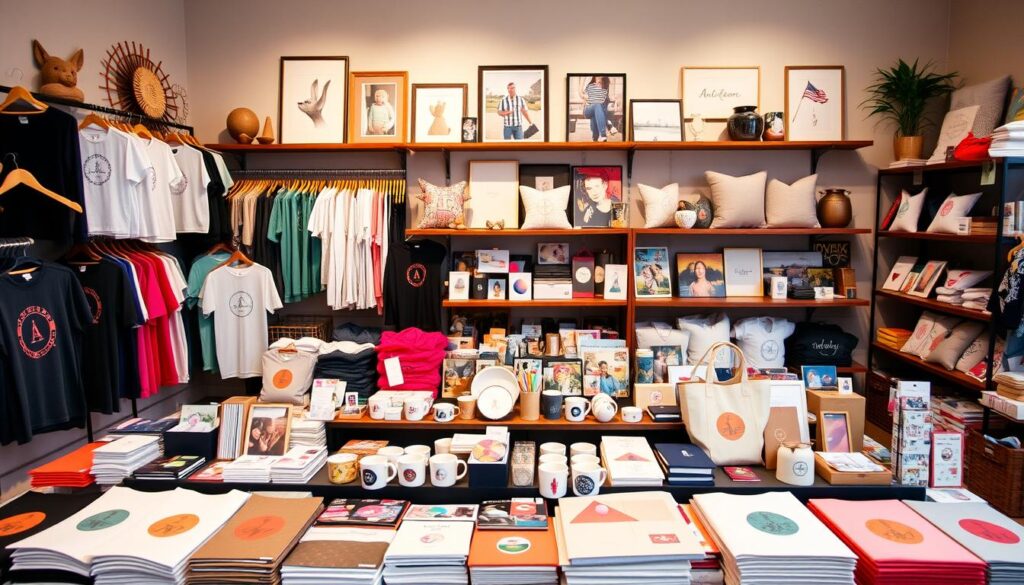
Printful’s home goods and accessories include items like posters, mugs, and tote bags. These products are perfect for showing off unique designs. They appeal to a wide range of customers.
Selecting a Product That Matches Your Niche
The product you choose should match your niche and brand identity. Think about profit margins, production times, and complexity when deciding.
Evaluating Profit Margins Across Products
Different products have different profit margins. It’s important to calculate your earnings after considering production costs, shipping, and other expenses.
Considering Production Times and Complexity
Production times and complexity can affect customer satisfaction and your reputation. Choose products that balance quality and production time well.
How to Create Your First Etsy Listing with Printful
Now that you’ve picked your product, it’s time to create your first Etsy listing with Printful. This step is key because it affects how buyers see your product. You’ll need to follow several steps, from getting to the product creation page to adding your design and setting up product variants.
Navigating to the Product Creation Page
To begin, you need to get to the product creation page on Printful. You can do this through your Printful dashboard. There, you can pick the product type you want to list on Etsy.
Using the Printful Dashboard to Start
The Printful dashboard is easy to use and guides you through creating products. Start by logging into your Printful account. Then, go to the “Products” section to create a new product.
Understanding the Product Creation Workflow
Printful’s workflow for creating products is simple. You’ll choose your product type, add your design, and set up product variants like size and color. Knowing this workflow helps you create your listing efficiently.
Selecting Your Product Type and Variants
Picking the right product type and variants is crucial for selling well on Etsy. You need to decide on the product category and the options you’ll offer.
Choosing Colors and Sizes to Offer
When picking product variants, think about what your target audience likes. Offering different colors and sizes can appeal to more people.
Setting Up Product Variants Correctly
Setting up your product variants right is important to avoid order issues. Make sure each variant is set up correctly in the Printful system.
Adding Your Design to the Product
The design you add makes your product stand out. Make sure it meets Printful’s file requirements and looks great.
Design File Requirements and Best Practices
Printful has specific design file needs, like resolution and format. Following these will make sure your design looks good on the product.
Using Printful’s Design Tools Effectively
Printful has design tools to help you create and edit designs. Getting to know these tools can make designing easier.
By following these steps and paying attention to details, you can make a great Etsy listing with Printful. This will help attract more buyers and make your online selling successful.
Crafting an Effective Product Description
Making your Etsy listing stand out with Printful starts with a great product description. A well-written description tells buyers about your product and encourages them to buy.
Writing a Compelling Title with Keywords
Your product title grabs attention first in search results. It’s key to make it impactful.
Title Structure and Character Limits
Etsy lets you use up to 140 characters for titles. Keep it short and sweet while including important details. A good title should mention the product type, main feature, and brand or designer name.
Incorporating Relevant Search Terms
Using keywords buyers search for boosts your listing’s visibility. Etsy’s search bar and Google Keyword Planner can help find the right keywords.

Creating a Detailed and Engaging Description
A detailed description can turn browsers into buyers. It should cover all the information buyers need.
Description Templates and Formatting Tips
Templates ensure your listings look consistent. Etsy’s HTML formatting makes descriptions more readable and engaging.
Including Product Specifications and Care Instructions
Buyers like to know about the product, including materials, sizes, and care. This info helps avoid returns and complaints.
| Specification | Description |
|---|---|
| Material | High-quality cotton |
| Size | Available in S, M, L, XL |
| Care Instructions | Machine wash cold, tumble dry low |
Setting the Right Price for Your Product
Setting the right price is key for success on Etsy. You must balance profit and competition.
Calculating Costs and Profit Margins
When pricing, consider production, shipping, and other costs. Make sure you’re making a profit while staying competitive.
Competitive Pricing Strategies
Researching competitors helps you understand Etsy’s pricing. You can then price your product to stand out or match the competition.
Optimizing Your Listing for Etsy Search
As an Etsy seller, learning SEO can really help your shop get noticed. Making your Etsy listing easy to find is key to more sales. We’ll cover the basics of Etsy SEO and how to use it in your listings.
Understanding Etsy SEO Basics
Etsy SEO means knowing how Etsy’s search works and using that to your advantage. By optimizing your listings, you can get your products seen more.
How Etsy’s Search Algorithm Works
Etsy’s search algorithm aims to show buyers what they’re looking for. It looks at your listing’s title, description, tags, and categories. Knowing these factors is crucial for optimizing your listings.
Keyword Research for Your Products
Doing deep keyword research is essential to find what buyers search for. Google Keyword Planner and Etsy’s search bar are great tools for this.
Choosing the Right Tags and Categories
Tags and categories are important for Etsy’s search. Picking the right ones can make your listing more visible.
Strategic Tag Selection Techniques
When picking tags, be smart. Use relevant keywords and don’t repeat tags. Unique and relevant tags boost your listing’s visibility.
Category and Subcategory Placement
Choosing the right categories and subcategories is key. It helps Etsy’s algorithm understand your product. Explore Etsy’s categories to find the best fit for your product.
Using Attributes to Improve Visibility
Attributes like material, occasion, and style can make your listing stand out. They help buyers find what they’re looking for.
Material, Occasion, and Style Attributes
Specifying material, occasion, and style helps buyers filter results. Be as detailed as you can with attributes.
Custom Attributes for Your Products
If your products have special attributes, use custom ones. This can make you more attractive to buyers with specific needs.
Taking Professional Product Photos with Printful’s Mockups
Printful’s mockup generator helps you make professional product photos for Etsy. High-quality images are key to show your products well and stand out from others.
Using Printful’s Mockup Generator
Printful’s mockup generator lets you create realistic product images easily. You don’t need expensive cameras or editing software. Just pick your product, choose a mockup style, and customize it for your brand.
Available Mockup Styles and Environments
Printful has many mockup styles and environments for different products and brands. You can find simple backgrounds or elaborate scenes to showcase your product.
Customizing Mockups for Your Brand
Customizing your product images is important. With Printful’s generator, you can change colors, backgrounds, and text to match your brand.
Tips for Creating Attractive Product Images
Printful’s mockup generator makes creating professional images easy. But, here are some tips to make them even better.
Image Composition and Lifestyle Photos
Think about how your image composition tells a story. Lifestyle photos that show your product in use help buyers see how it fits into their lives.
Image Optimization for Etsy’s Requirements
Make sure your images meet Etsy’s requirements for file format, size, and resolution. Optimizing your images for Etsy ensures they look great and get more views.
| Mockup Style | Description | Best For |
|---|---|---|
| Simple Background | Minimalist design with a plain background | Products with bold designs or bright colors |
| Lifestyle Scene | Product shown in a real-life setting | Products that benefit from contextual storytelling |
| Product Close-up | Detailed view of the product | Highlighting product features or quality |
Managing Orders and the Fulfillment Process
When your Etsy shop gets orders, knowing how to handle them is key. Printful makes managing orders easier. We’ll look at how orders move between Etsy and Printful, shipping times and costs, and dealing with customer questions.
How Orders Flow Between Etsy and Printful
Etsy and Printful work together smoothly. When a customer buys something, the order goes straight to Printful.
Order Synchronization Process
Orders move between Etsy and Printful in real-time. This keeps you updated on order status. It also stops duplicate orders and gets products to customers fast.
Manual vs. Automatic Order Processing
Printful lets you choose to process orders automatically. But, you can also do it manually if you need to. This gives you control over your shop.
Understanding Shipping Times and Costs
Shipping is important. Printful lets you offer different shipping options. This includes shipping within your country and internationally.
Domestic and International Shipping Options
Printful has many shipping choices. You can pick standard, expedited, or express shipping. Choose what works best for your business and customers.
Communicating Shipping Expectations to Customers
It’s important to tell customers about shipping times and costs. Being clear helps manage their expectations. It also lowers the chance of complaints.
Handling Customer Service Between Platforms
Good customer service is key to a positive Etsy shop. Answering customer questions quickly and solving problems is essential.
Responding to Customer Inquiries
You need to answer customer questions. Make sure your responses are clear and helpful.
Managing Returns and Quality Issues
If customers want to return something or have quality issues, handle it well. Work with Printful to fix any quality problems. Follow Etsy’s return policy too.
Understanding and managing the fulfillment process well can improve customer satisfaction. This helps build a successful Etsy shop with Printful.
Conclusion: Your Path to Etsy and Printful Success
Starting your first Etsy listing with Printful is a big step towards e-commerce success. Knowing both platforms well and setting up your accounts right helps you sell better. This lets you grow your business more easily.
To do well on Etsy, pick the right products and make your listings great. Also, always give top-notch customer service. For Printful, focus on quick order fulfillment and quality products. When you mix these, you’ll succeed in e-commerce.
Keep learning new things and check how you’re doing often. Be ready to change your plans if needed. With hard work and commitment, you can make your online business with Etsy and Printful flourish.
FAQ
What is the benefit of using Printful with my Etsy shop?
Using Printful with your Etsy shop lets you sell custom products without keeping inventory. Printful takes care of making and sending your products.
How do I connect my Etsy shop to Printful?
To link your Etsy shop to Printful, go to Printful’s integration page. Look for Etsy, then click to authorize the connection by giving the needed permissions.
What product categories are most popular on Etsy?
On Etsy, popular items include clothes, home goods, and accessories. The hottest items and seasonal trends change all year.
How do I choose the right product for my first Etsy listing?
Pick a product by looking at Etsy’s top categories, Printful’s offerings, and your specialty. Think about profit margins, how long it takes to make, and how complex it is.
What are the requirements for designing products with Printful?
When designing with Printful, make sure your files meet their standards. Use their tools to make designs that look great.
How do I optimize my Etsy listing for search?
To get your Etsy listing seen, learn about Etsy’s search rules. Do keyword research, pick the right tags and categories, and use details like material and style.
Can I use Printful’s mockup generator for product images?
Yes, Printful’s mockup generator is great for making professional product photos. It has many styles and settings you can customize for your brand.
How do orders flow between Etsy and Printful?
Orders move smoothly between Etsy and Printful. You can set orders to go automatically or manually. This makes sure your products are shipped out efficiently.
What are the shipping options and costs with Printful?
Printful has domestic and international shipping options. Shipping times and costs depend on where it’s going. You can tell your customers about shipping times and costs.
How do I handle customer service with Etsy and Printful?
For customer service, answer questions, handle returns and quality issues, and talk to your customers well. This helps make sure they have a good experience.