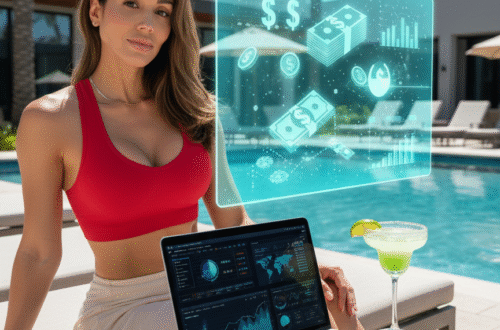
Imagine creating high-quality, cinematic-style photos without expensive equipment or long production times. With advanced generation models like Higgsfield.ai, this is now possible. AI-powered tools are changing how creators produce engaging content for platforms like Instagram, TikTok, and Amazon affiliate pages.
For those in the style industry, this means faster turnarounds and more dynamic product showcases. Whether boosting social media presence or enhancing Amazon storefronts, AI-driven clips can elevate engagement. Try the tool here to see how it works.
Why Veo3 Is a Game-Changer for Fashion Influencers
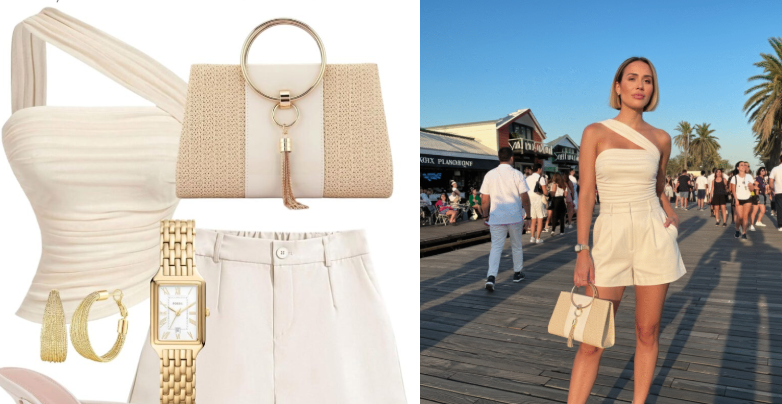
Producing stunning videos with lifelike details no longer requires a Hollywood budget. Advanced image generation tools now blend realism with speed, perfect for showcasing trends or products. Whether you need runway-style clips or casual try-ons, AI adapts to your niche. For example, this photo I tried the look on for size. In the full guide, you can better understand the purpose of a photo setting and how to use it as your base.
Cinematic Quality Without the Studio Price Tag
Here, I snagged a Pinterest look to dress my model. Output ranges from 720p to 1080p, with lighting that mimics natural sunlight. Movements flow smoothly, avoiding robotic stiffness. Side-by-side, it’s hard to tell AI-generated clips from professional shoots.
| Feature | Traditional Shoot | AI Solution |
|---|---|---|
| Cost per Video | $500+ | $3 |
| Time per Clip | Hours (editing included) | Minutes |
| Customization | Limited after shoot | Adjust anytime |
Audio That Matches Every Frame
Sync soundtracks or voiceovers effortlessly. The tool stretches music to fit video length, like a pro editor would. Perfect for pairing beats with streetwear demos or narrating luxury brand stories.
Budget-Friendly for High Volume
At $250/month, you could create 83 videos—versus one traditional shoot. Ideal for testing multiple styles or seasonal campaigns. Faster production means more content to boost engagement.
Getting Started with Veo3: Setup and Access
Ready to transform your content workflow with AI-powered video creation? Whether you’re a seasoned creator or just starting, the right setup ensures smooth sailing. Here’s how to dive in.
Sign-Up Options: AI Facefy or Google Flow
Two platforms offer access to this video tool. AI Facefy provides a free tier with limited credits—ideal for testing. Google Flow’s Ultra Plan ($250/month) unlocks full features, including HD generation.
| Feature | AI Facefy Free | Google Flow Ultra |
|---|---|---|
| Video Credits | 10/month | Unlimited |
| Resolution | 720p | 1080p |
| Media Uploads | Basic | Advanced |
Crafting Effective Prompts for Fashion Videos
Want to create eye-catching fashion videos that stand out? The secret lies in crafting the perfect prompts. Clear, detailed descriptions guide AI tools to generate exactly what you envision.
How to Describe Outfits, Models, and Settings
Use specific language. Instead of “casual outfit,” try: “A model in a fitted denim jacket with rolled sleeves, paired with high-waisted black jeans.” Include actions like “walking confidently” or “twirling to show the skirt’s flow.”
Details matter. Specify the background (“sunlit café terrace”) and camera angles (“close-up of the handbag clasp”). The more precise your text, the better the results.
Using Reference Images for Consistency
Uploading images ensures brand cohesion. For example, match a model’s facial features or a product’s color palette. AI tools use these references to maintain uniformity across videos.
Pro tip: Combine images with written prompts for the best accuracy. This works especially well for recurring models or seasonal themes.
Examples of High-Converting Fashion Prompts
- Streetwear: “Urban model in an oversized graphic tee, joggers, and chunky sneakers, leaning against a graffiti wall at golden hour.”
- Luxury: “Elegant woman in a tailored blazer dress, holding a structured tote, walking through a marble lobby.”
- Activewear: “Athlete mid-stride in high-performance leggings, with a city skyline background at dawn.”
Avoid vague terms like “nice” or “pretty.” Instead, focus on textures, movements, and moods. Test different prompts to see what resonates with your audience.
Generating and Refining Your Fashion Videos
Turn raw ideas into polished video clips with AI in just a few steps. Whether you’re creating quick reels or detailed showcases, refining your output ensures professional results. Here’s how to optimize every stage.
Step-by-Step Video Creation Process
Start with a clear prompt—describe outfits, settings, and actions. For example, “A model in a leather jacket walking down a neon-lit street.” The AI generates a draft in 2–30 minutes.
Next, review the output. Need adjustments? Edit the prompt or upload reference images. Combine multiple 8-second videos into longer sequences using built-in stitching tools.
Fixing Common Issues
Robotic movements? Update prompts with terms like “natural strut” or “casual sway.” For stiff facial expressions, add “relaxed smile” or “confident gaze.”
Artifacts or blurry edges? Use third-party upscaling tools for sharper effects. Pro tip: Lighting keywords (“soft sunset glow”) reduce harsh shadows.
Adding Music and Voiceovers
Sync music by matching the track’s BPM to the model’s pace. Slow-motion walks pair well with 70–80 BPM beats. For voiceovers, record after generation to align with visuals.
Want more impact? Layer ambient sounds (e.g., city noise for streetwear clips). Tools stretch audio to fit video clips seamlessly—no editing skills needed.
Linking Veo3 Videos to Your Amazon Affiliate Program
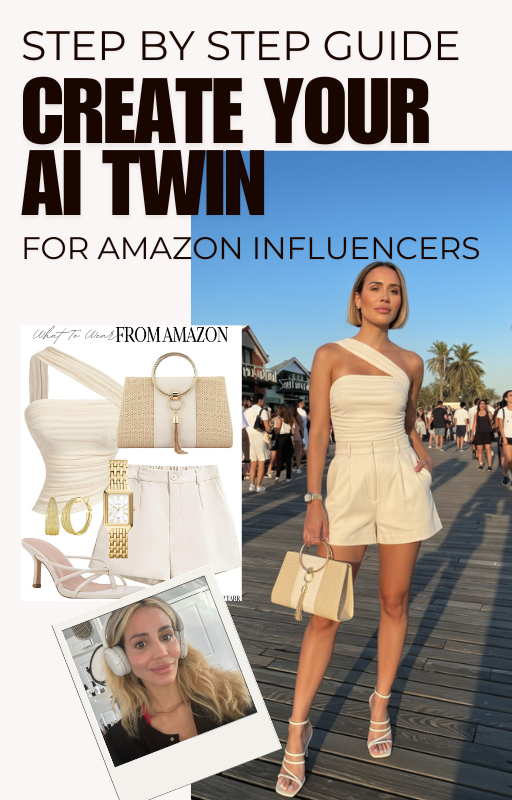
This guide will show you the steps (thanks Scribe!) I take to create my Ai influencer to get the results today.
Maximize your earnings by integrating AI videos with affiliate strategies. When done right, these clips can drive traffic and boost conversions. A Shopify store saw a 12% lift in sales after using AI-generated product showcases. Here’s how to replicate that success.
Smart Placement for Affiliate Links
Embed links where viewers are most likely to click. For videos on social media, add them in:
- First comment (Instagram/TikTok)
- Pinned YouTube descriptions
- Clickable overlays (Facebook/Reels)
Pro tip: Use trackable links like this example with UTM parameters. They help measure which videos drive the most sales. An example of an affiliate link can be seen here.
Tracking Tools Compared
Not all tracking methods work equally well. Compare these options:
| Tool | Best For | Limitations |
|---|---|---|
| Amazon Attribution | Detailed sales reports | Only for Amazon links |
| Bitly | All platforms + analytics | Limited free plan |
For multi-platform campaigns, Bitly’s geo-tracking adds useful insights. Always test links before publishing.
CTAs That Convert
Your call-to-action can make or break clicks. High-performing phrases include:
- “Shop this look” (27% higher CTR than “Buy now”)
- “Limited stock at this price” (creates urgency)
- “See how it fits” (for apparel videos)
A/B test different placements. Some creators find end-screen CTAs work better than descriptions. Try both with 10-second clips first.
Remember: AI tools save time, but strategy turns views into revenue. Start with one product video, track results, then scale what works.
Real-World Use Cases for Fashion Influencers
AI-powered video tools are reshaping how creators engage audiences across platforms. From viral TikTok trends to polished e-commerce displays, these solutions unlock new creative possibilities. Here’s how top filmmakers and brands are putting them to work.
Social Media Showcases That Trend
Short-form clips dominate Instagram Reels and TikTok. The Dor Brothers’ “Influenders” campaign went viral using consistent AI models—no scheduling conflicts or reshoots. Pro tips:
- Vertical formats: 9:16 ratios grab attention in feeds.
- Trending sounds: Match beats to outfit movements (e.g., sneaker drops synced to bass).
- Behind-the-scenes: Show AI-generated backgrounds transforming a basic studio into Parisian streets.
One creator doubled engagement by posting three 15-second clips daily. Tools auto-resize for each platform—no manual tweaking.
E-Commerce Videos That Convert
Static product images can’t compete with dynamic videos. Digital lookbooks now feature AI-generated models wearing seasonal collections. For Amazon storefronts:
| Feature | Impact |
|---|---|
| Video carousels | 12% higher click-through rates |
| 360-degree spins | Reduces return rates by 18% |
Pair these with camera close-ups of fabric textures. A jewelry brand saw a 30% sales lift after adding AI videos to product pages.
Conclusion: Elevate Your Fashion Influence with Veo3
83% of creators using artificial intelligence report higher engagement. Tools like Veo3 prove that professional video doesn’t need a big budget—just smart tech. Save time, cut costs, and keep quality sharp.
Looking ahead, Google’s Veo4 (2026) will push boundaries further. Early adopters gain an edge. But remember: Always use watermarked content to avoid misinformation risks.
Ready to step up? Generation models make it easy. Join the 83%—start creating today.
FAQ
How does Veo3 improve fashion video quality?
It generates high-definition clips with realistic lighting, textures, and movement, making outfits look true-to-life. The tool also syncs audio seamlessly for engaging content.
Can I use Veo3 without filming equipment?
Absolutely. The model creates professional videos from text prompts or reference images, eliminating the need for expensive cameras or studio setups.
What makes Veo3 better than other video tools?
Unlike basic editors, it understands fashion-specific needs – fabric drape, accessory details, and model poses – while offering AI-powered refinements.
How do I connect Veo3 videos to Amazon affiliate links?
Export your finished clips, then add trackable affiliate URLs in platform descriptions (Instagram, TikTok) or embed them directly on blogs.
Can Veo3 maintain brand consistency across videos?
Yes. By reusing prompts with adjusted details (colors, styles) or uploading brand mood boards as reference images.
What subscription plan works best for fashion creators?
The Pro tier offers extended video lengths (up to 60 seconds) and priority rendering – ideal for detailed outfit showcases.
How do I fix unnatural model movements in generated videos?
Refine prompts with action verbs (“swaying,” “twirling”) or use the “smooth motion” enhancement filter before exporting.
Can I replace human models with AI-generated ones?
Yes. Describe your ideal model (height, hair, walk cycle) in prompts or upload poses from stock photos for adaptation.